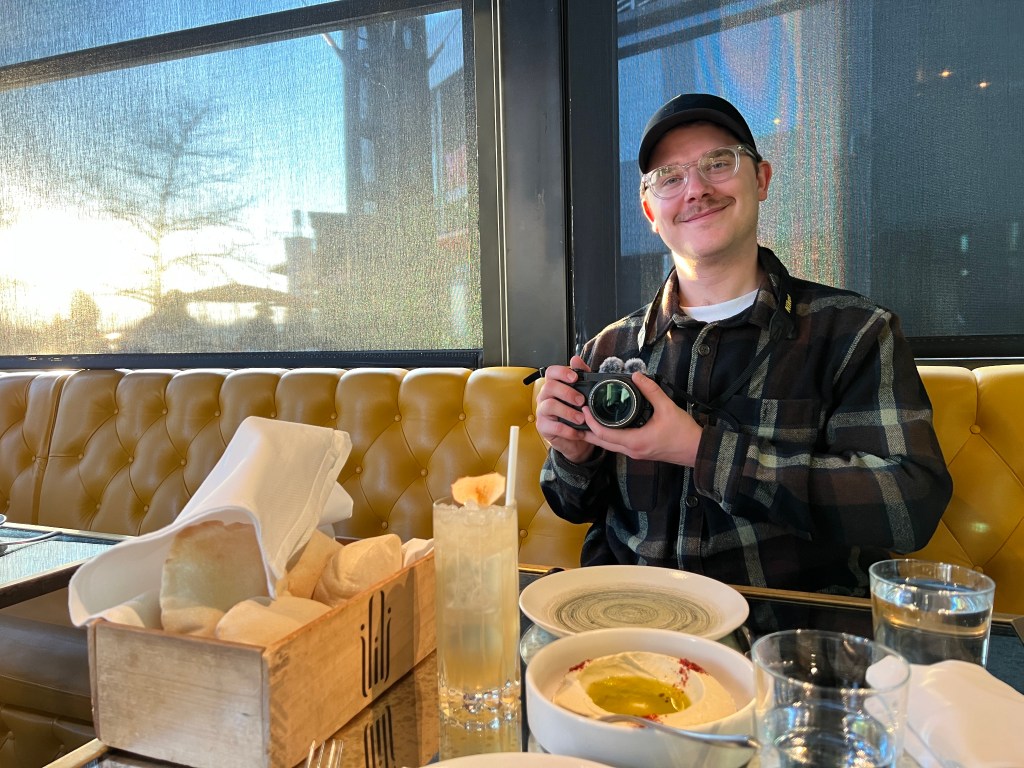
The Nikon ZR is a cinema camera. You can use it professionally on real productions alongside other RED cameras and achieve wonderful results.
Or, you can vlog. I think you should vlog.
The people want to know who the camera is for. Being heroic, I will tell them: the Nikon ZR is for high performance vloggers, like me.
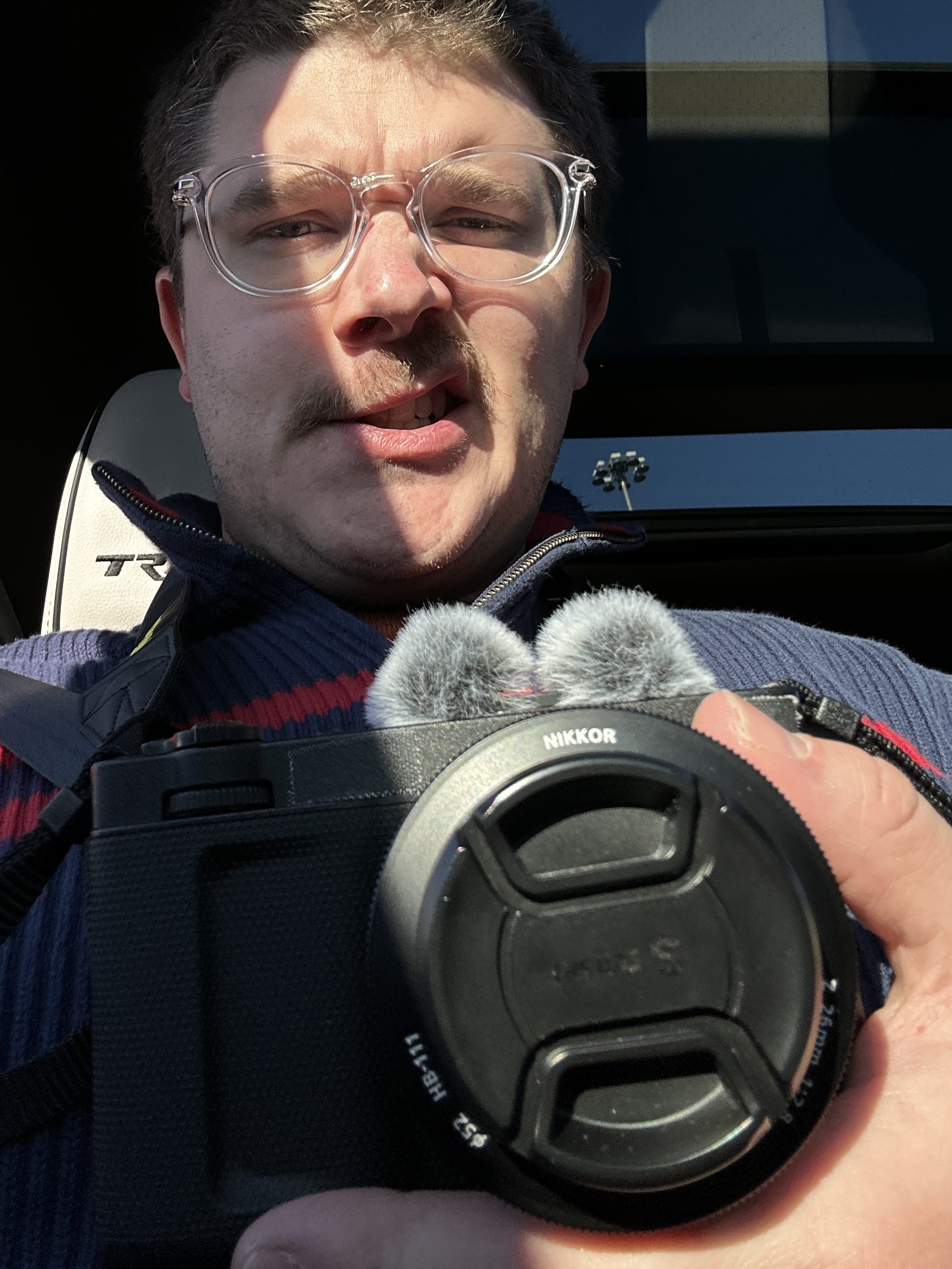
Affordability is the name of the game. The Nikon ZR, oft referred to as “the FX3 killer” by YouTubers and their ilk, is called the FX3 killer because it offers similar high end video features at half the price of Sony’s popular prosumer cinema camera. A Sony FX3A, new, on B&H.com, is currently priced at $4298. The Nikon ZR is listed for $2196. Pick your poison. There is nothing wrong with choosing the Sony. I’m not here to debate anybody. But, for my money, I went with the Nikon ZR. It has built-in 32bit float stereo speakers along with a big bright flippy screen. In some scenarios, I’ll want a directional microphone, or wireless mics. But most of the time I just want bidirectional ambience. The ZR is a dream for that.
Whereas, purchasing the FX3A would probably necessitate the additional purchase of an external monitor, and would certainly require an external microphone. That brings the price much closer to $5000 than anyone should be comfortable with. Unless you’re rich. Then I don’t care. But even if I was rich, I’d still choose the Nikon. It’s a better camera for me. There is nothing discreet or chill about going through your day with a rigged up FX3A. The ZR, on the other hand, can capture fantastic sights & sounds while looking like a pocket camera. Walking about town with a tiny screen on your camera is one thing, but having a large microphone attached is an eye sore. The Nikon ZR avoids both issues.
But the ZR has its growing pains
Especially when it comes to storage. That $2000 you save on the camera is a little conspicuous when you look into the massive file sizes of the ZR’s various RAW codecs. I believe I shot an 8 minute file, in 10Bit 4k ProRes, in NLog (i.e. not RAW) that came out to 60 gigabytes. The RED RAW Log3g10 files are larger still. You do the math. The Nikon ZR is one hungry hippopotamus. If you intend to use it to the full extent of its capabilities, you will be spending a lot of money on storage to accommodate your workflow.
As an aside, we should talk about current affairs, and what that has to do with the Nikon ZR and storage.
Uh, okay, so, shortly after Big Don won the election, I felt I had better order some external SSDs. Big Don spent a lot of time on the campaign trail talking about tariffs, and every respectable person with an economics degree said Free Trade was better for consumers and that prices would go up in response to trade wars; I wanted to get my SSDs before that happened. I was also a little worried about Taiwan being invaded, and I still am, and I wanted to get some Samsung drives before, you know, the world economy comes to blows. It could well be that demand is up for storage, too, given the litany of data centers popping up like mushrooms. I know Nvidia GPUs are through the roof as well. Put simply: shit is getting expensive.
Whatever the cause(s) may be, over the last year the cost of a Samsung T7 or T9 SSD has doubled. A year ago you could have gotten a 4TB SSD for around $400. It now costs $800. I don’t have to tell you that a 100% price increase sucks sweaty socks. You know that already. I’m still a bit miffed that I settled for 2 terabytes, thinking it would be enough. It’s never enough!
On the tariff front, I went to a local camera store where they were showing off the ZR before its release, and the Nikon rep told me that the ZR would have come in at $1999 were it not for the tariffs. It is now 10% more expensive. Oh well. This is the world we live in. Now that it’s all been deemed unconstitutional, maybe I can sue the regime for my $200 back. But I digress!
The point is, if you are planning to purchase a Nikon ZR for RAW cinema workflows, and you don’t already own ample storage, you might want to reconsider, or at least price it out. I knew going into this purchase that I was not going to shoot RAW. I would use protection against the girth of its files by shooting in H.265. But compression comes with its quirks.
what’s with all the hullabaloo about the ZR’s H.265?
H.265 has about a 50% more efficient compression ratio than H.264 without visual quality loss, or so they say. Why use lot data when few data do trick? They don’t call it the “High Efficiency Video Codec” for nothing. Compared to its RAW formats, the ZR’s H.265 files are minuscule, diminutive, puny, cute, and charming.
There’s just one problem: the NLog image you get in H.265 is soft as hell. So if your plan is to purchase the camera, but you don’t want to shoot RAW, but you do want the additional latitude to grade your footage by shooting in NLog, you can consider yourself well & truly heck’d: the image will be soft.
There are YouTubers who will tell you it doesn’t matter for certain situations, such as making internet videos, because by the time YouTube or Instagram or TikTok compresses your footage it will look a little soft anyways. Whatever. I would prefer if it rendered well in the first place, instead of starting soft & going softer still.
I’m really into proverbs. Here’s one you may look to in a time of need: A moving image is like a penis. No one likes a soft penis.
People have gone back and forth about this. Does it matter? Does it not matter?
It does to me. I did not purchase a sharp lens to shoot soft footage. They say the Nikon Z mount’s flange distance is tighter than jeans in the 2000s, and that this allows for revolutionary optical designs. Ahem, better lenses, or whatever. I bought some native glass because I like the way it renders images. I was told their revolutionary Z mount design allows for such optical brilliance because of, “pre-famulated amulite surmounted by a malleable logarithmic casing…” IYKYK. I bought sharp glass because I want sharp images. That shouldn’t be a big ask.
I was unenthused by the Nikon ZR’s RAW file sizes, and I found myself in a foul mood while looking at my flaccid NLog footage. So what was I to do?
well, do you have a minute to talk about our lord & savior, imaging recipes?
I got recipes, got a lot of recipes, got a lot of vidyas tryna drain me of my SSDs…. ahem.
Sorry about that. No, I’m not here to sell you my LUTs or the Skittles in my FroPack4. I don’t have any LUTs or hair. But I am using someone else’s recipes, and the image in SDR H.265 is sharper than its NLog counterpart. And I am now living in sweet bliss with my Nikon ZR and its little files. I save on space, I get nice images, and the world keeps turning. For now.
SDR stands for: Saved the Day, Really.
I know professionals may scoff at me. That I would shoot videos with a baked-in look. If you are offended by that, cover your eyes before reading what I’m about to say: sometimes, when I shoot in Log, I just throw a LUT over it and call it a day. The only difference now is that I get it over with from the get go. I save space on storage, I get a look I like, and I don’t fuss over grading it. Sue me.
Nikon will, in all likelihood, fix the ZR’s flaccid footage with a firmware update in the future, and I will be very happy when they do. The Nikon Rep I spoke with even teased a future firmware update for open gate recording, not that I’d use it, and, of course, nothing is confirmed. But he teased me, and now I’m teasing you. Perhaps they’ll even get around to launching NLog2. I don’t know what the future holds. For now, I’m quite happy shooting my personal videos in SDR, with a baked-in look I like. For anything professional, I’ll work in ProRes.
How did I get here? Royce Adkins over on YouTube made a video that piqued my interest. He had mentioned the SDR H.265 being noticeably sharper than NLog, and that RED’s creative presets may save the day. They did not. He didn’t like the look of RED’s FilmBias presets, and I don’t either. They’re too desaturated for my taste, most of the time. But he did mention and like the prospect of being able to upload his own creative imaging recipes to the camera. I didn’t want to do that, so I simply looked to download someone else’s.
I gathered a couple recipes with preview images I liked, and loaded them onto my camera to test them out. In that batch I found a vibrant, cool, contrasty look with fast falloff that I felt well suited me. I like an inkdark image where the bright spots pop. I’m a big time texture guy, whatever that means, and I’ve found that the shine on metal looks delicious in these images. (If you click the link, you’ll also get a sense of the built-in mics as well. No, you don’t need that $300 Nikon hotshoe mic to get the 32 bit float. I have a $10 fuzzy windscreen in the hotshoe, and that’s it. All I did to post process the sound was throw a limiter and a compressor on it. I don’t know shit about audio. But I think it sounds great.)
I happen to like a little glisten, and it was the moment I captured an errant shot of wet blueberries that I knew I had fallen in love with this look.
If you’re interested in copying MY stolen recipe, you can find it here. It’s called Yuragi and it’s made by someone called Kimura Hinami. I don’t think I’m using their recipe the way they intended. I am very much exposing to the left, and I think this preset was created to be pushed right. Oh well. À chacun son goût. That’s a French term I learned yesterday that I’m deploying here to sound smarter than I am. Did it work? Did I fool you?
Working this way is not all perfect. There are obvious drawbacks. When I underexpose & let my images be dark, I lose details in the shadows that I’ll never recover. The ZR’s view assist is pretty good, but I find that the monitor will show me more shadow detail (and noise!) than I find in my final image. To make matters worse, I also find that skin tones look decidedly off on occasion. The look I’m shooting with is an aggressive one. It is very blue. Mostly, I like it. But sometimes there’s this ghastly, mad magenta hue on people’s skin, and I don’t love it.
For the most part, this recipe helps me get images I find lovely, and that’s what it’s all about, right? I can do more films more faster if I don’t fuss over the colors so much.
to sum it all up,
The Nikon ZR is the “cinema camera” for the rest of us. I like to joke that I’m a “high performance vlogger” and that that’s who this camera is really for, but you can absolutely use it in professional workflows. I will, too. But usually, I won’t.
I think deep down this camera’s meant to be absolutely tiny. With no external mic. No external monitor. No grip or cage. It’s meant for a small, fast prime lens, to capture moving moments with creative baked-in looks. For now, that’s how I’ll tend to use it. It is, in that sense, more akin to a cinematic equivalent of Fuji’s X100 series.
Make no mistake, the streets need cinema. I will oblige.
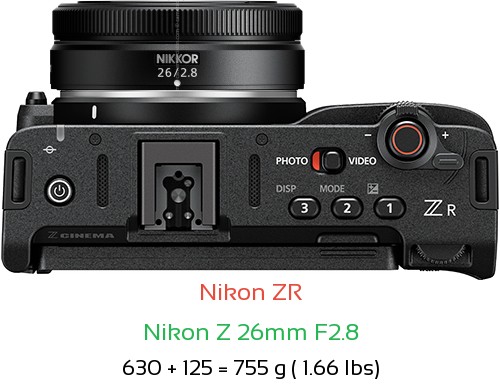
Like a lucid hero, I snap my fuzzy windscreen into the hotshoe, set the audio to binaural 32bit float, crank a 26mm f2.8 pancake lens in the mount, set it to manual focus (with focus peaking assist!), place my nose too close to the microphones (so you hear every sad & haggard breath), drink a big black coffee (so my sweaty hands wobble the IBIS around), hit record (hopefully) and go to work. With my flippy screen rotated out, I find that my thumb rests easily in the nook where the screen had been, and that I don’t need a grip. And, at just over a pound, I can go about my day capturing images I will later edit into a slightly dreamy, understated, boring, waytoolong vlog of me & my sweetheart going out to dinner.
Isn’t that wonderful?
 wesley Gordon Brown
Leave a comment